Level 1: Policies list
The main Hardening page lists your active benchmark policies:Level 2: Policy endpoints
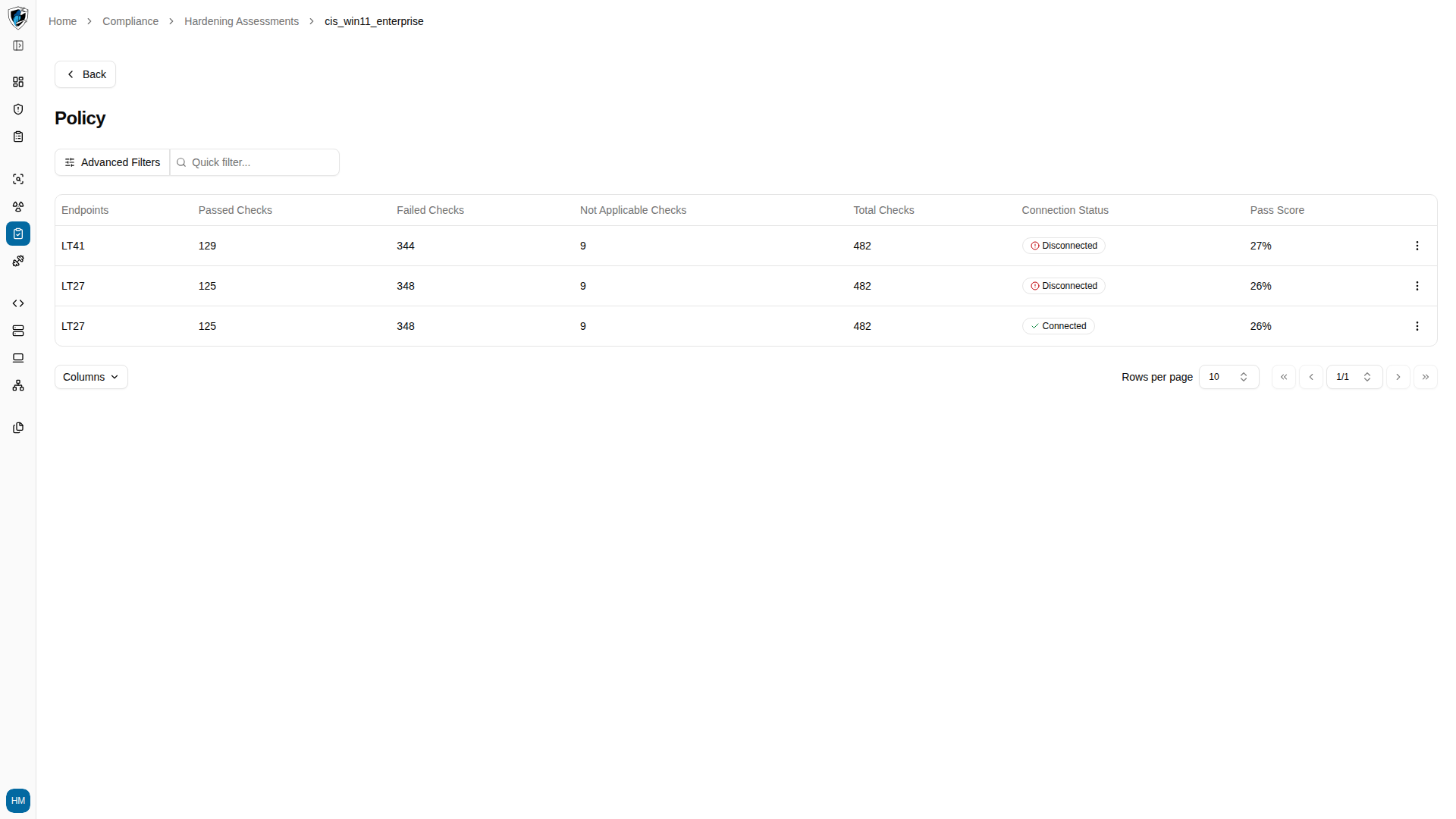
Opening a policy shows every endpoint evaluated under it:
This table has no row selection checkboxes, because no bulk actions apply at this level.
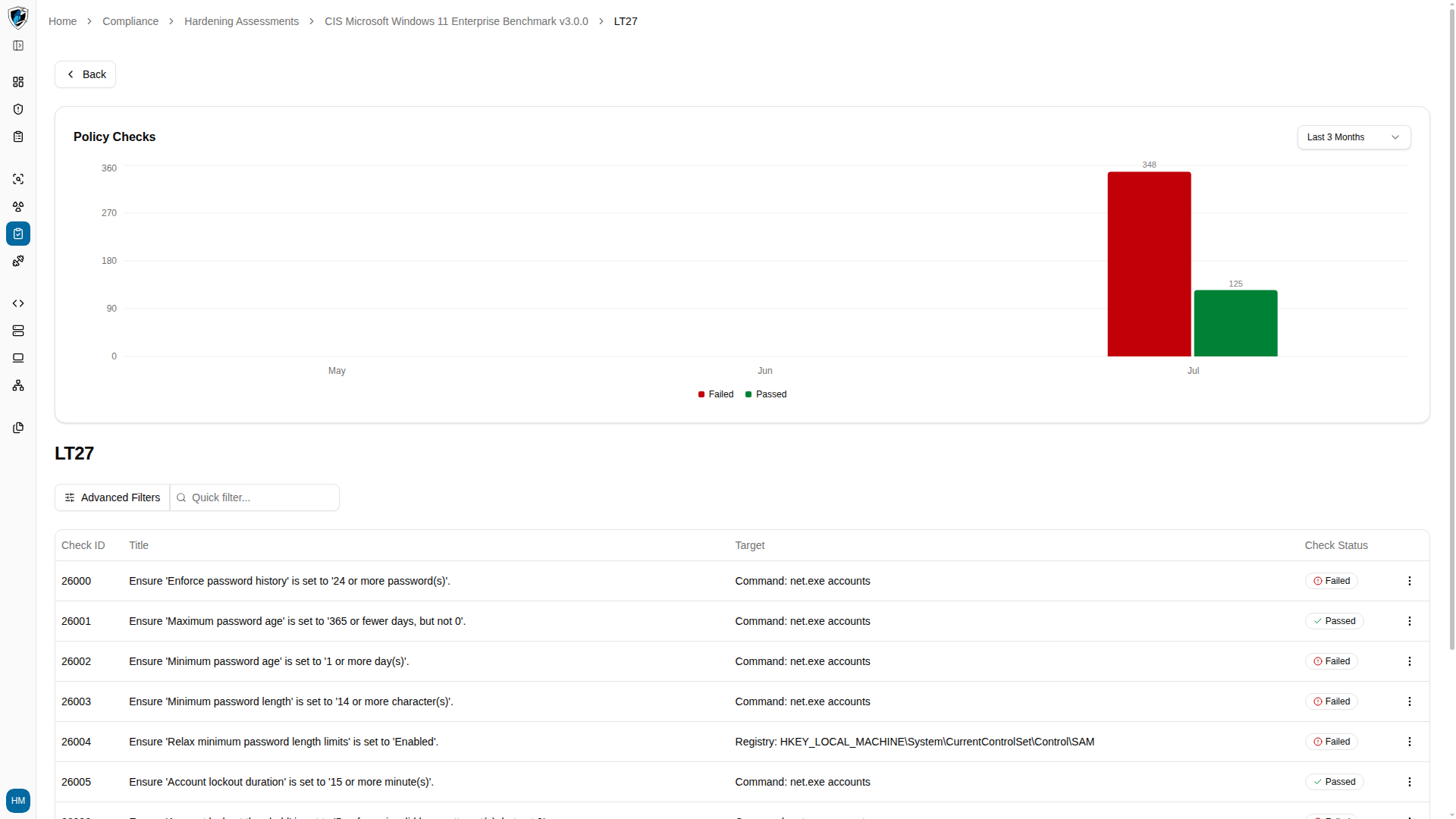
Level 3: Endpoint checks
Drilling into one endpoint gives you itemized results:Drill down
-
On the Hardening Assessments page, click the action menu (
...) next to a policy and select View Details.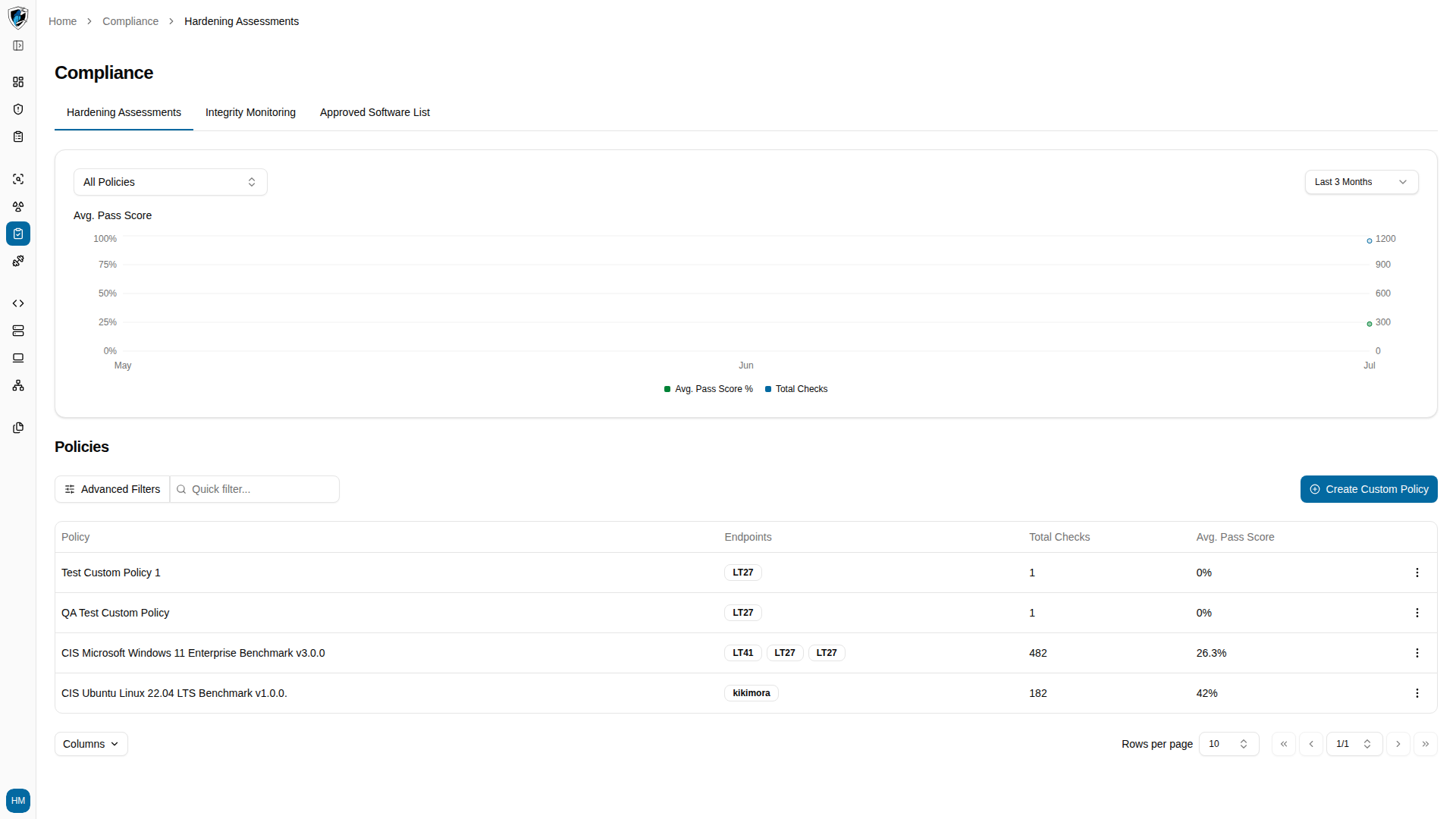
-
Review the endpoints evaluated under that policy, their passed, failed, and not-applicable counts, connection status, and individual pass scores.
-
Click the action menu (
...) next to an endpoint and select View Details for its itemized check results.