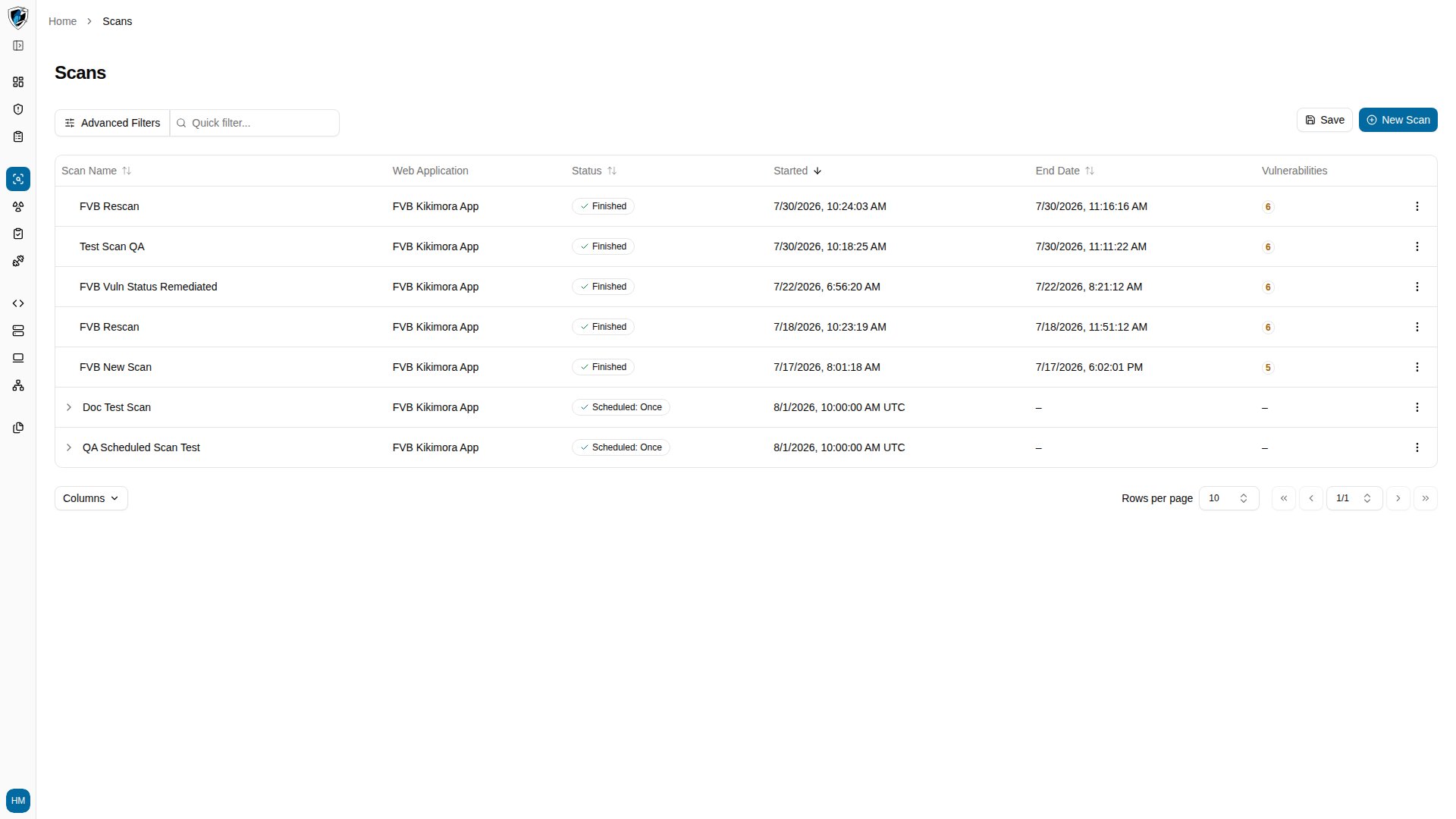
Table columns
Every one of these columns can be shown or hidden from the Columns selector at the bottom left of the table.
Filtering and sorting
- Quick filter — the search field above the table matches against scan names and target web applications.
- Advanced Filters — click Advanced Filters to filter by criteria such as status, application, or date range.
- Column sorting — click a sortable column header (Scan Name, Web Application, Status, Started, End Date) to sort ascending or descending.
Recognizing a scheduled scan row
A scheduled scan row represents a recurring or future definition rather than a completed execution. Three signals distinguish it:- Expand toggle (
>) sits to the left of the scan name and opens the run history. - Status shows the recurrence frequency, such as
Scheduled: OnceorScheduled: Weekly. - Started shows the upcoming execution time in UTC.
View the scans list
Open Scans from the primary navigation sidebar.