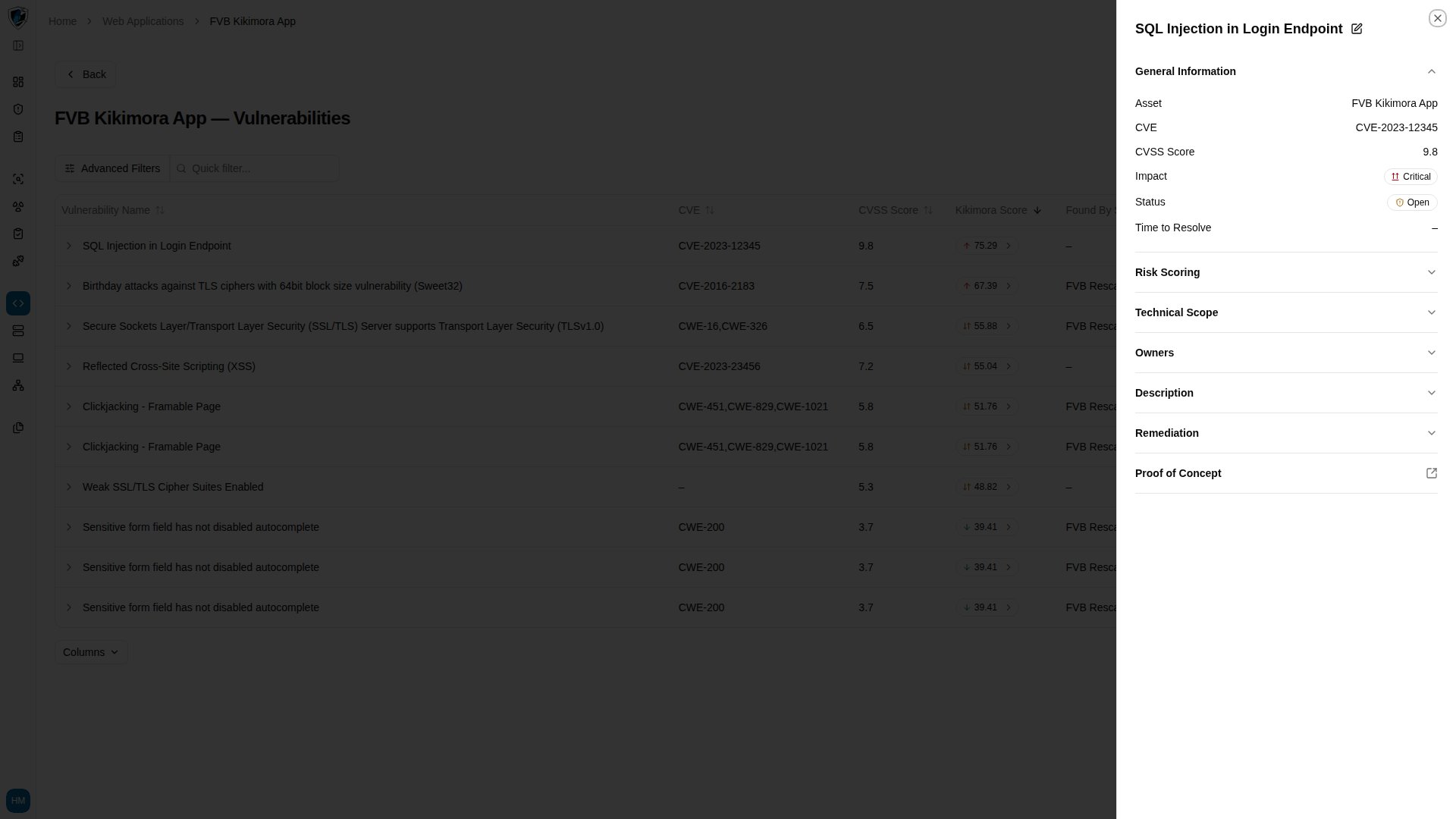
/web-applications opens its details view.
Navigation
Opening an application takes you to its main details sub-route, and the top header carries the context and actions for that application. The Back button returns you to the Web Applications list with your active filters still applied.Tabs
- Vulnerabilities (
/web-applications/<id>/vulnerabilities) — every vulnerability discovered for this application. - Last scan information — status, timestamps, and findings count for the most recent scan run against this target.
Previewing a finding
- Open
/web-applications/<id>/vulnerabilities. - The table lists detected findings with sortable columns: Vulnerability Name, CVE, CVSS Score, Kikimora Score, Impact, Status, and Owner.
- Click any vulnerability name, such as SQL Injection in Login Endpoint, to open the preview drawer from the right. It shows the technical detail, severity rating, affected endpoint, and remediation recommendations.