> ## Documentation Index
> Fetch the complete documentation index at: https://docs.kikimora.io/llms.txt
> Use this file to discover all available pages before exploring further.
# Reading the risk table
> Analyze findings in the risk table — column meanings, the Kikimora Score pill, portfolio points, sorting, and keyword filtering.
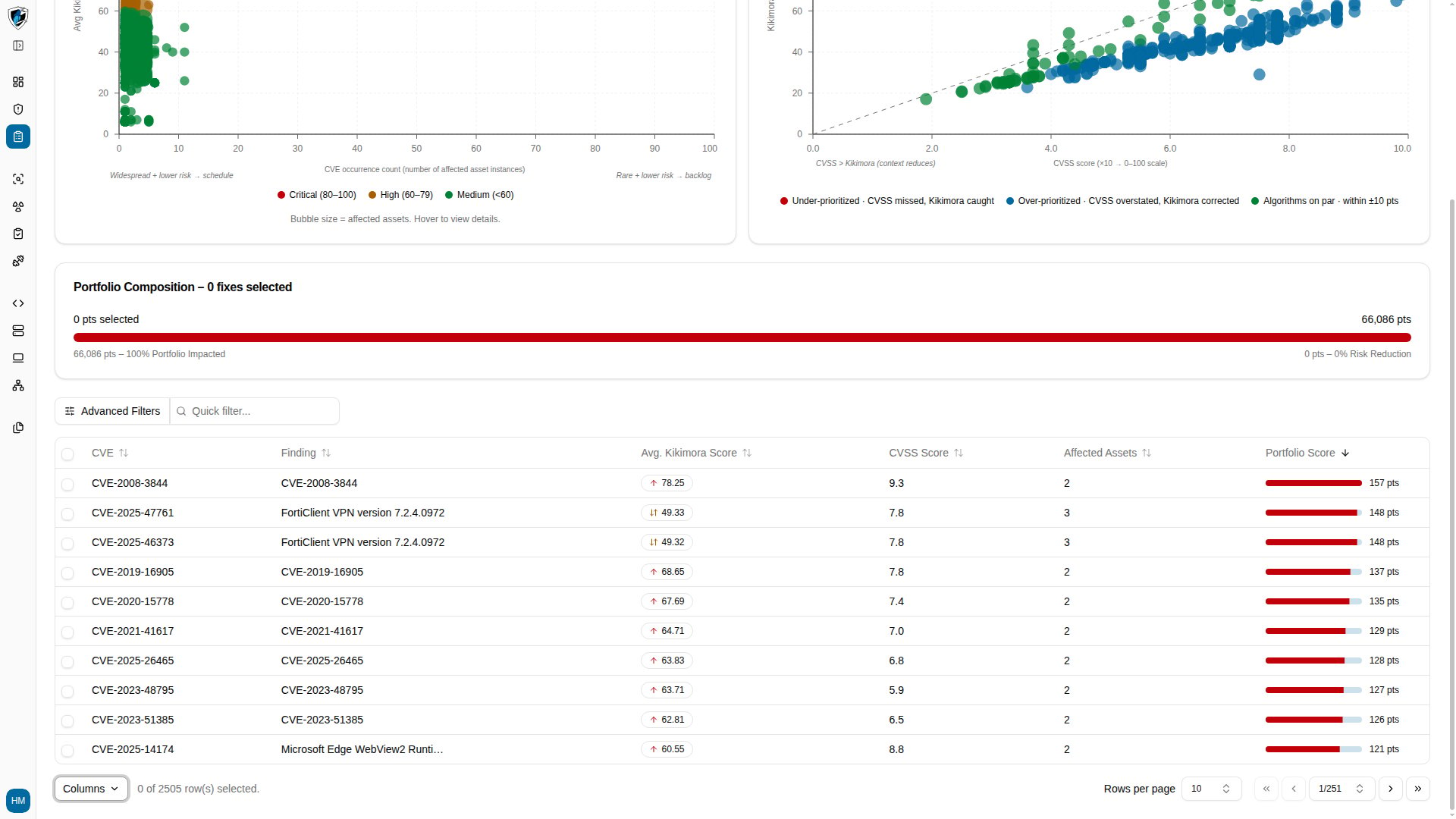
The risk table aggregates vulnerability findings across your portfolio, contextualizing each CVE with Kikimora's risk scoring and its cumulative impact in points.
## Columns
| Column | Description |
| :---------------------- | :--------------------------------------------------------------------------------------------------- |
| **CVE** | Common Vulnerabilities and Exposures identifier, linking to the technical detail. |
| **Finding** | Name or summary of the affected component, package, or software version. |
| **Avg. Kikimora Score** | Context-aware risk rating (0–100) combining CVSS severity with asset exposure and policy compliance. |
| **CVSS Score** | Base CVSS severity score, on the 0.0–10.0 scale. |
| **Affected Assets** | Count of distinct connected endpoints affected by this finding. |
| **Portfolio Score** | Aggregated portfolio impact in points, reflecting total organizational risk. |
### How the scores are displayed
The **Kikimora Score pill** shows the context-adjusted score on the 0–100 scale, colored by severity band: red for Critical (80–100), orange or yellow for High (60–79), green or blue for Medium and Low (below 60).
The **Portfolio Score** shows cumulative organizational risk points generated across all affected asset instances — for example `157 pts` or `148 pts`.
## View the table
1. Open **Risk Management** from the main navigation sidebar.
2. Scroll to the findings table to see active findings ranked by portfolio risk.
 ## Choose which columns to show
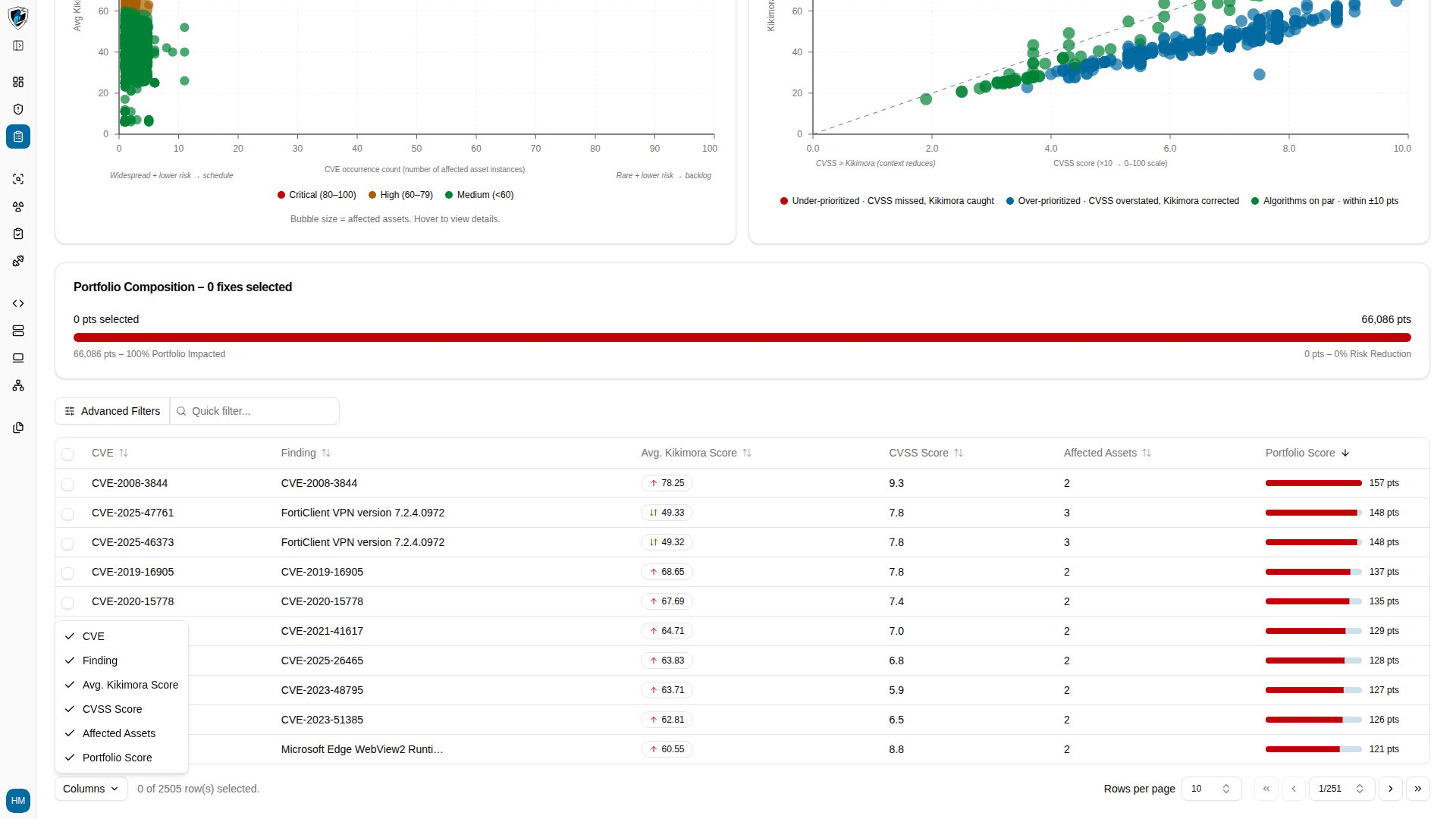
1. Click the **Columns** selector at the bottom left of the table.
2. Toggle any column on or off.
## Choose which columns to show
1. Click the **Columns** selector at the bottom left of the table.
2. Toggle any column on or off.
 ## Sort the table
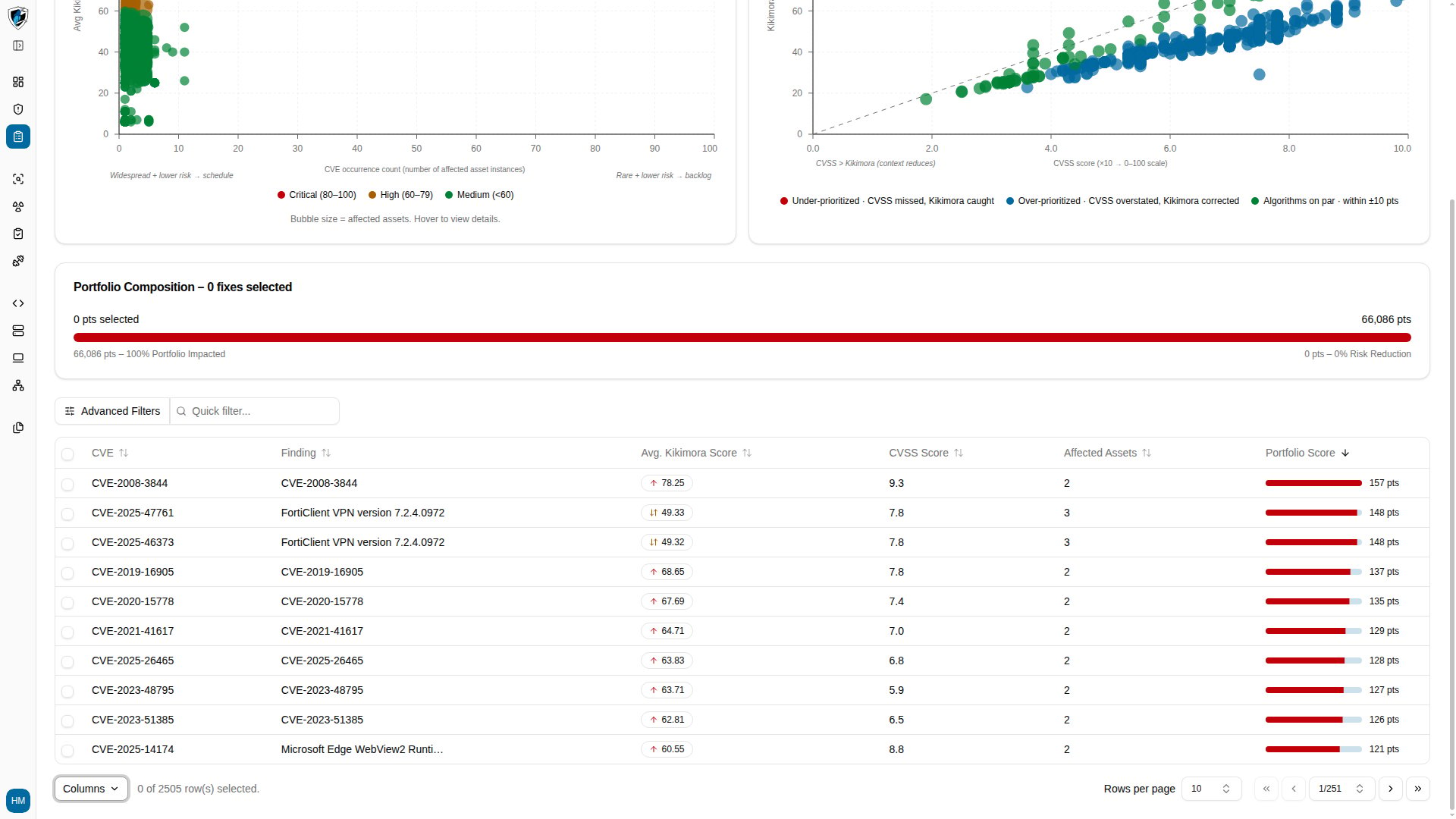
Click any column header — **Avg. Kikimora Score** and **Portfolio Score** are the useful ones for triage — to toggle between ascending and descending order.
## Sort the table
Click any column header — **Avg. Kikimora Score** and **Portfolio Score** are the useful ones for triage — to toggle between ascending and descending order.
 ## Filter by keyword
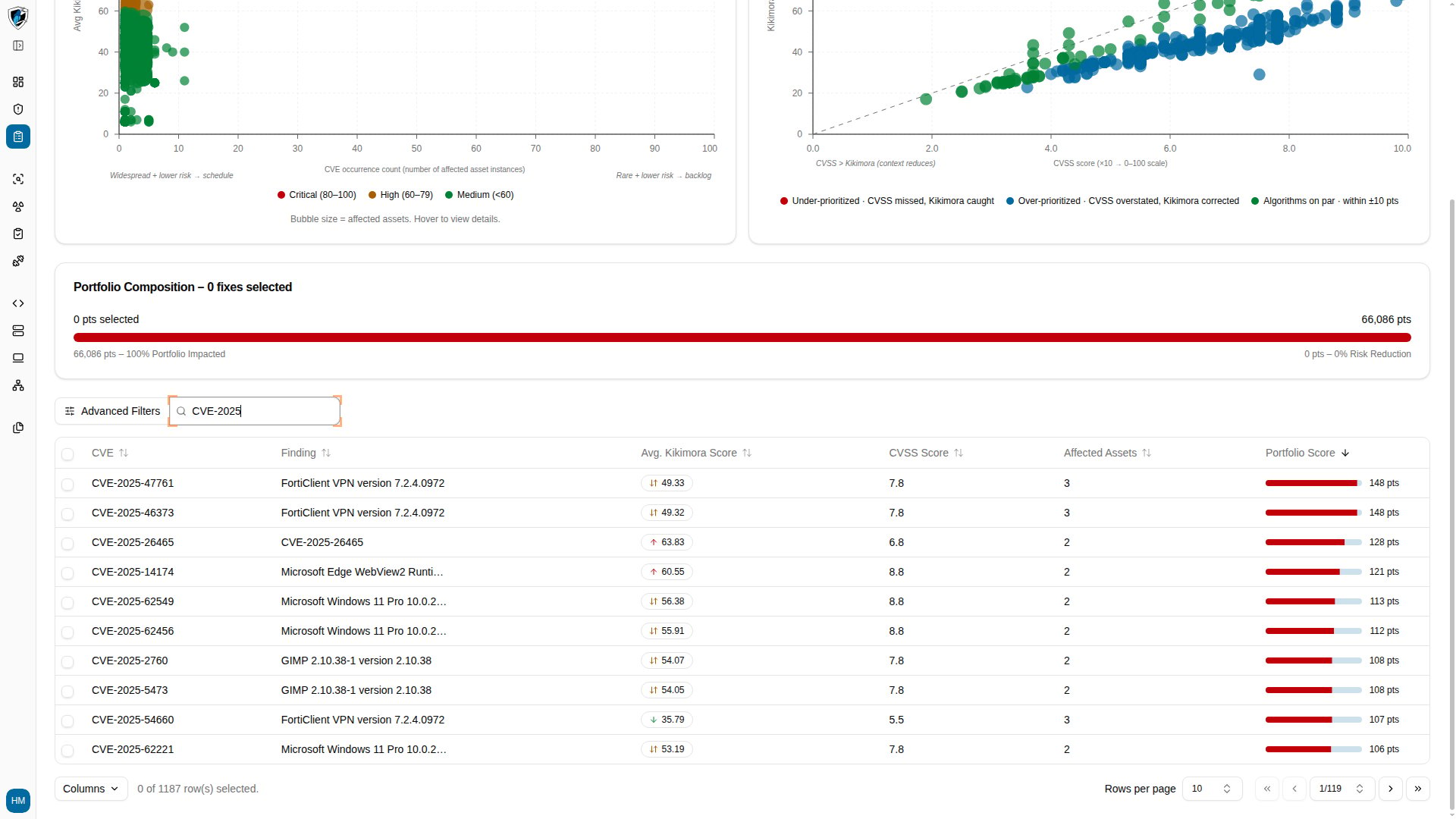
1. Type a keyword or CVE identifier, such as `CVE-2025`, into the **Quick filter...** field above the table.
2. The table updates as you type.
## Filter by keyword
1. Type a keyword or CVE identifier, such as `CVE-2025`, into the **Quick filter...** field above the table.
2. The table updates as you type.