> ## Documentation Index
> Fetch the complete documentation index at: https://docs.kikimora.io/llms.txt
> Use this file to discover all available pages before exploring further.
# Fetching vulnerabilities
> Trigger an on-demand vulnerability update for selected endpoints, and understand the selection behavior, hourly rate limit, and permissions.
You can manually trigger a vulnerability update for connected endpoints straight from the Endpoints list.
## Fetch vulnerabilities
1. Select one or more endpoints using their row checkboxes, or use the header checkbox to select every endpoint visible on the current page.
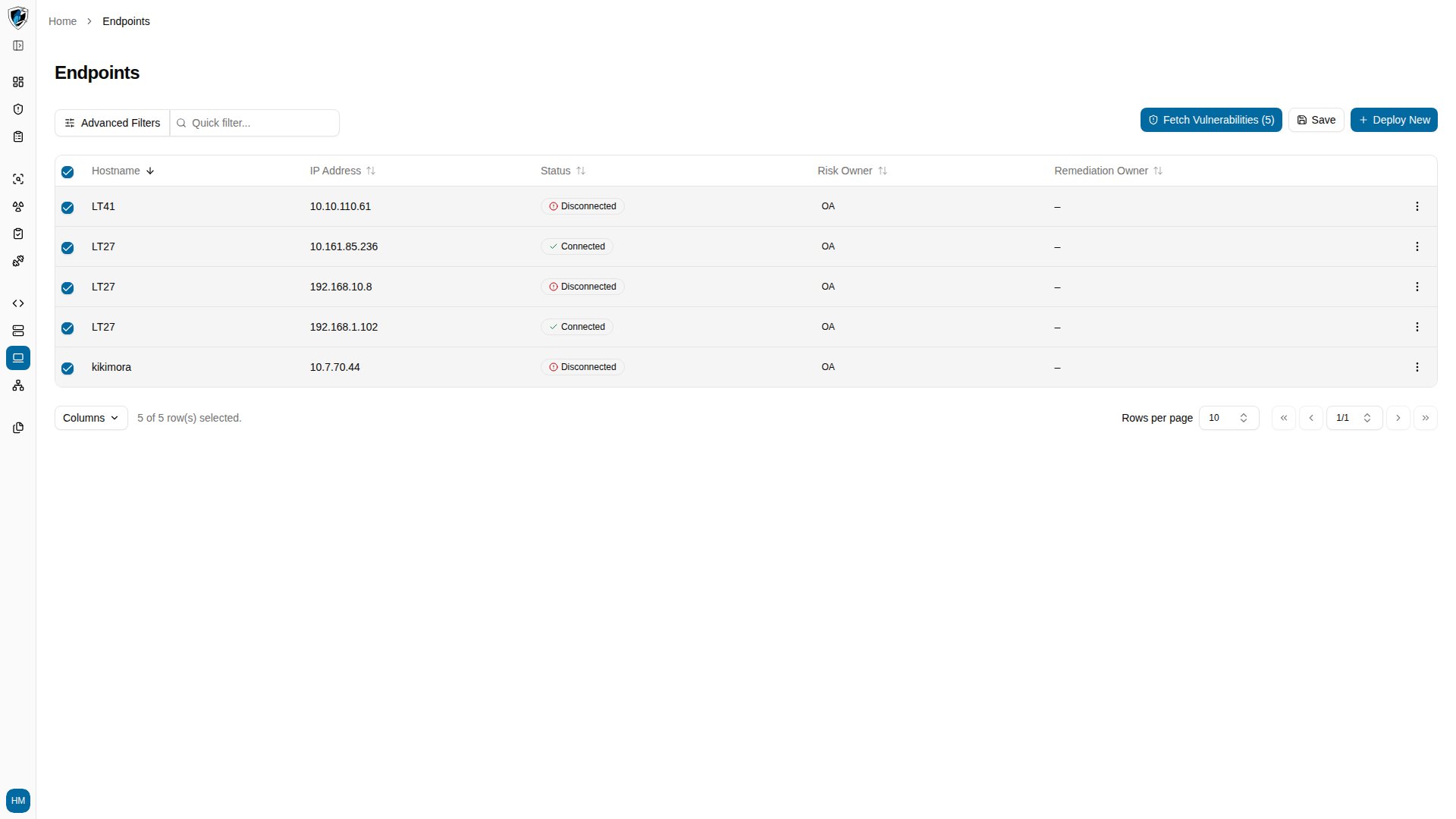 2. Click **Fetch Vulnerabilities (N)** in the action bar above the table.
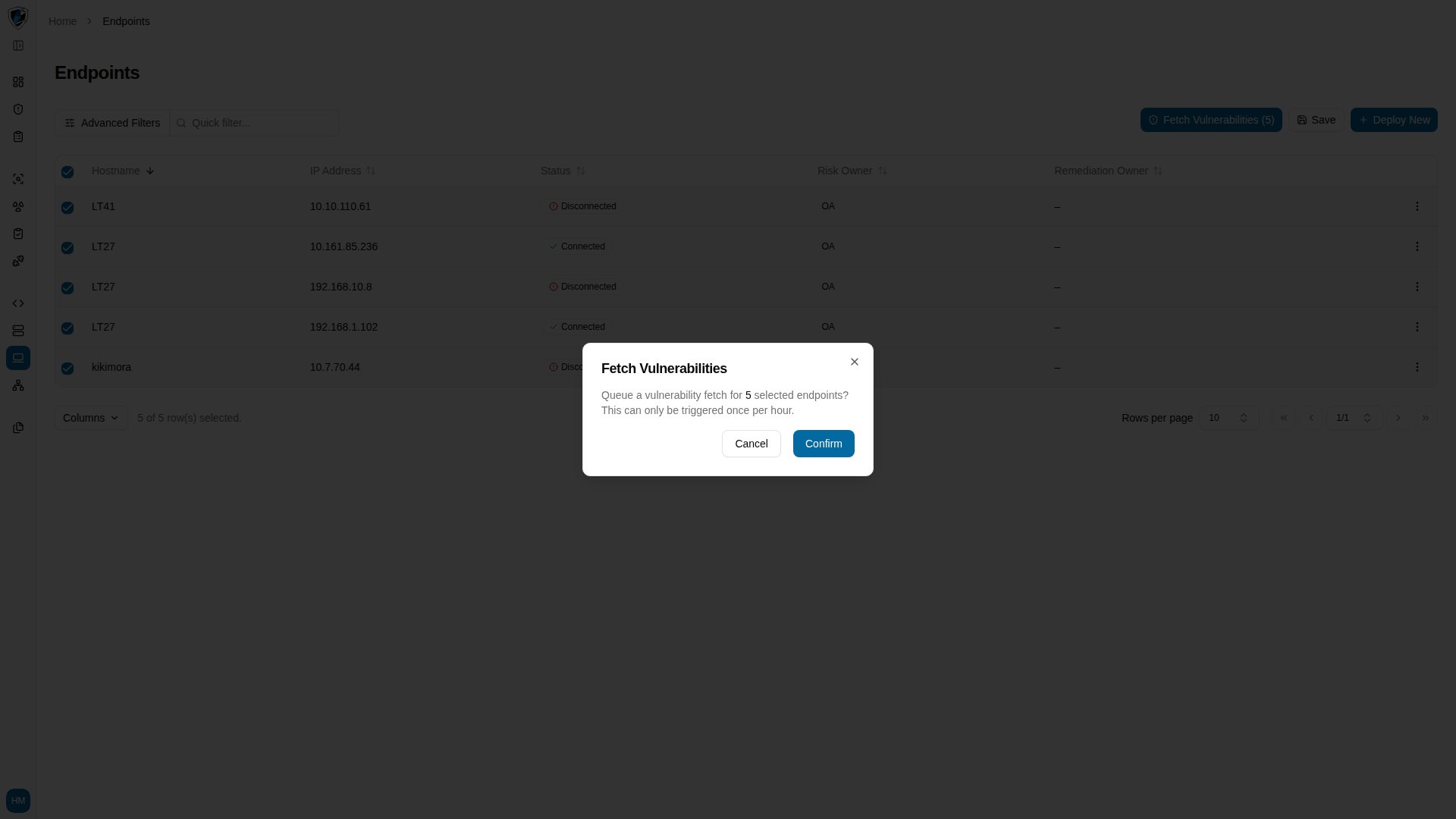 3. Read the confirmation prompt, which notes the once-per-hour limit, then click **Confirm**.
 ## Selection and limits
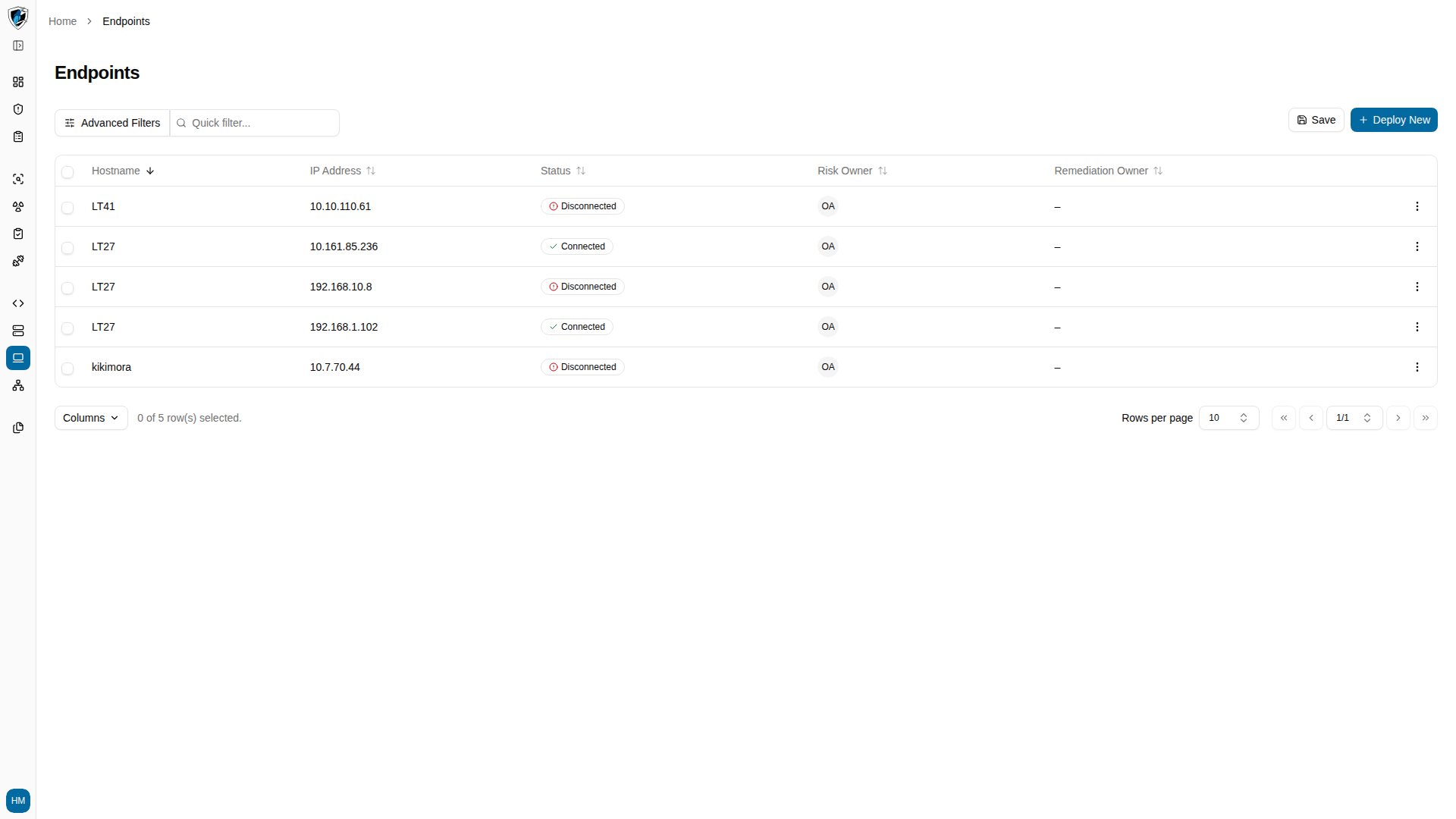
**Selection across pages.** The header checkbox selects every record on the current page. Your selection is tracked as you move between pages or change the page size, so it survives navigation.
**Hourly rate limit.** Manual fetches are limited to **once per hour** per tenant and endpoint. Requesting again before the cooldown expires returns a throttle warning (HTTP 429), which protects the background Wazuh scanning routines from overload.
**Permissions.** Fetching requires tenant scanning permissions. Without them the button is hidden, or the request returns an access error.
## Selection and limits
**Selection across pages.** The header checkbox selects every record on the current page. Your selection is tracked as you move between pages or change the page size, so it survives navigation.
**Hourly rate limit.** Manual fetches are limited to **once per hour** per tenant and endpoint. Requesting again before the cooldown expires returns a throttle warning (HTTP 429), which protects the background Wazuh scanning routines from overload.
**Permissions.** Fetching requires tenant scanning permissions. Without them the button is hidden, or the request returns an access error.