> ## Documentation Index
> Fetch the complete documentation index at: https://docs.kikimora.io/llms.txt
> Use this file to discover all available pages before exploring further.
# Reviewing results
> Drill from policy-level compliance statistics down through per-endpoint scores to individual check evaluations.
Hardening results are a three-level hierarchy. You start at policy-level statistics, drill into the endpoints evaluated under a policy, then into the individual checks on one endpoint.
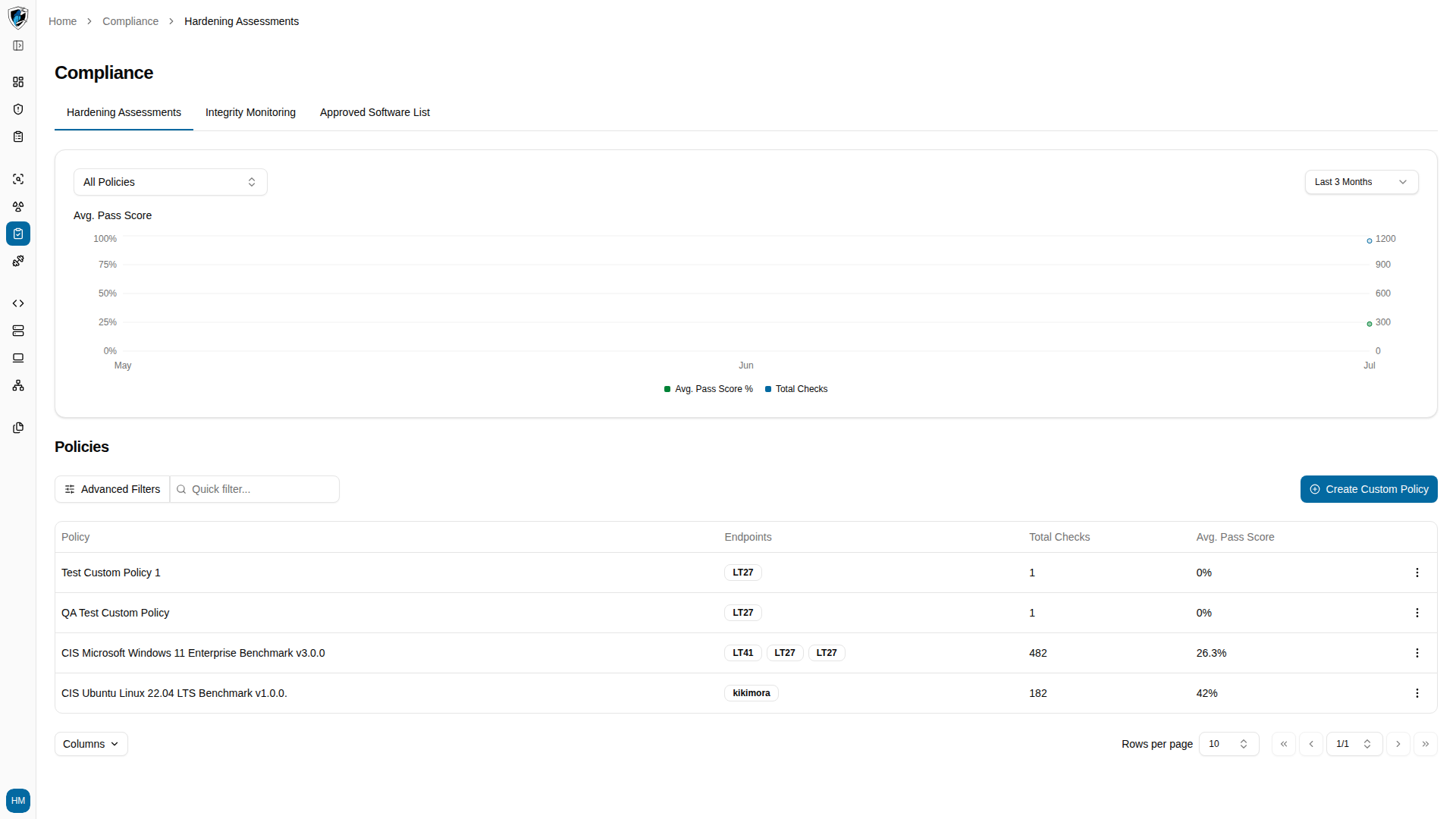
## Level 1: Policies list
The main Hardening page lists your active benchmark policies:
| Column | Description |
| :------------------ | :----------------------------------------------------------------------------- |
| **Policy Name** | The benchmark, such as *CIS Microsoft Windows 11 Enterprise Benchmark v3.0.0*. |
| **Target OS** | The operating system the policy requires. |
| **Total Checks** | How many rules the policy contains. |
| **Endpoints Count** | How many endpoints were evaluated against it. |
| **Pass Score** | Overall compliance percentage across those endpoints. |
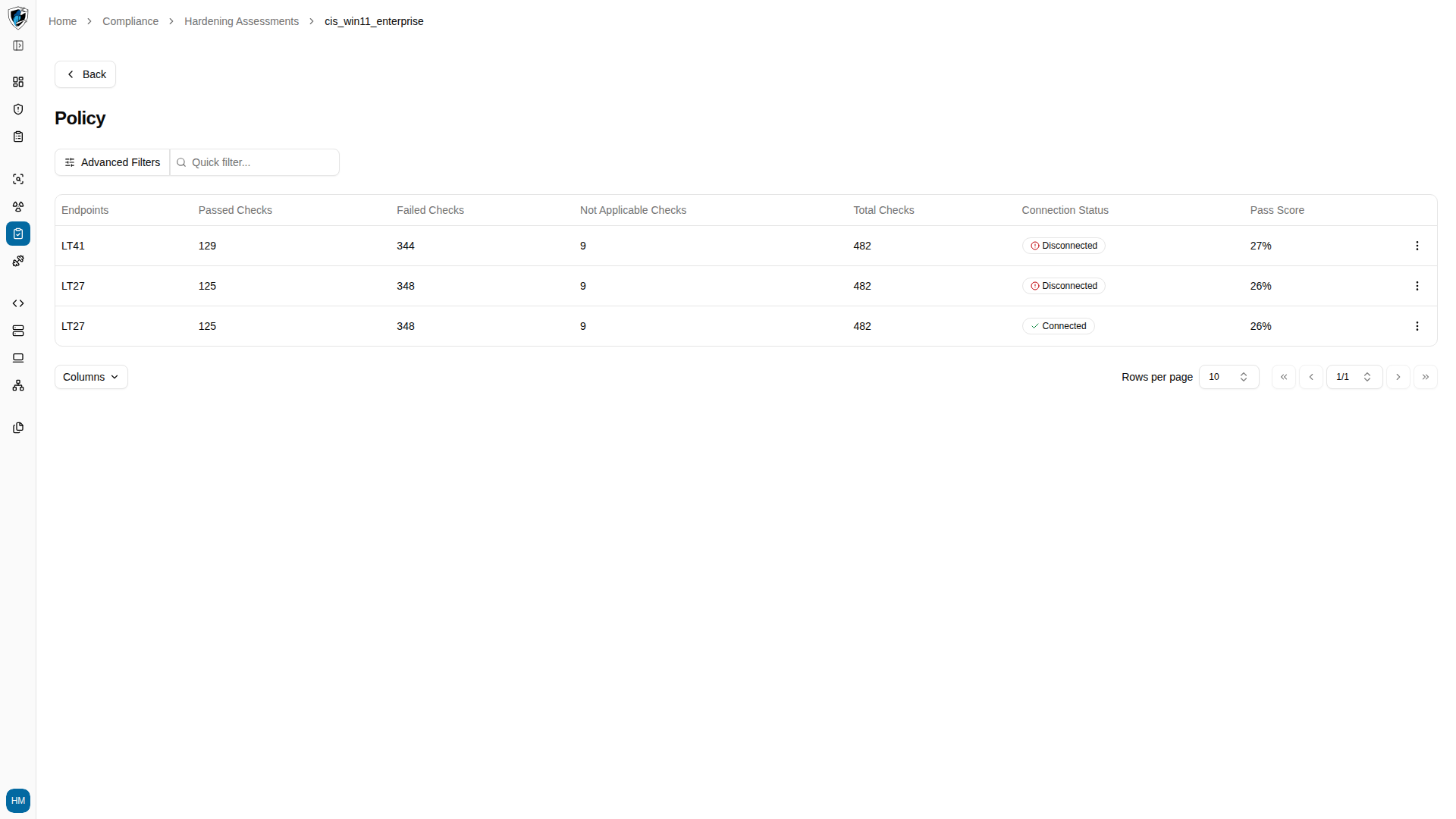
## Level 2: Policy endpoints
Opening a policy shows every endpoint evaluated under it:
| Column | Description |
| :------------------------ | :-------------------------------------------------- |
| **Endpoints** | Hostname of the device. |
| **Passed Checks** | Rules this endpoint passed. |
| **Failed Checks** | Rules this endpoint failed. |
| **Not Applicable Checks** | Rules skipped as inapplicable. |
| **Total Checks** | Benchmark checks evaluated. |
| **Connection Status** | Agent status badge — `Connected` or `Disconnected`. |
| **Pass Score** | This host's individual compliance percentage. |
This table has no row selection checkboxes, because no bulk actions apply at this level.
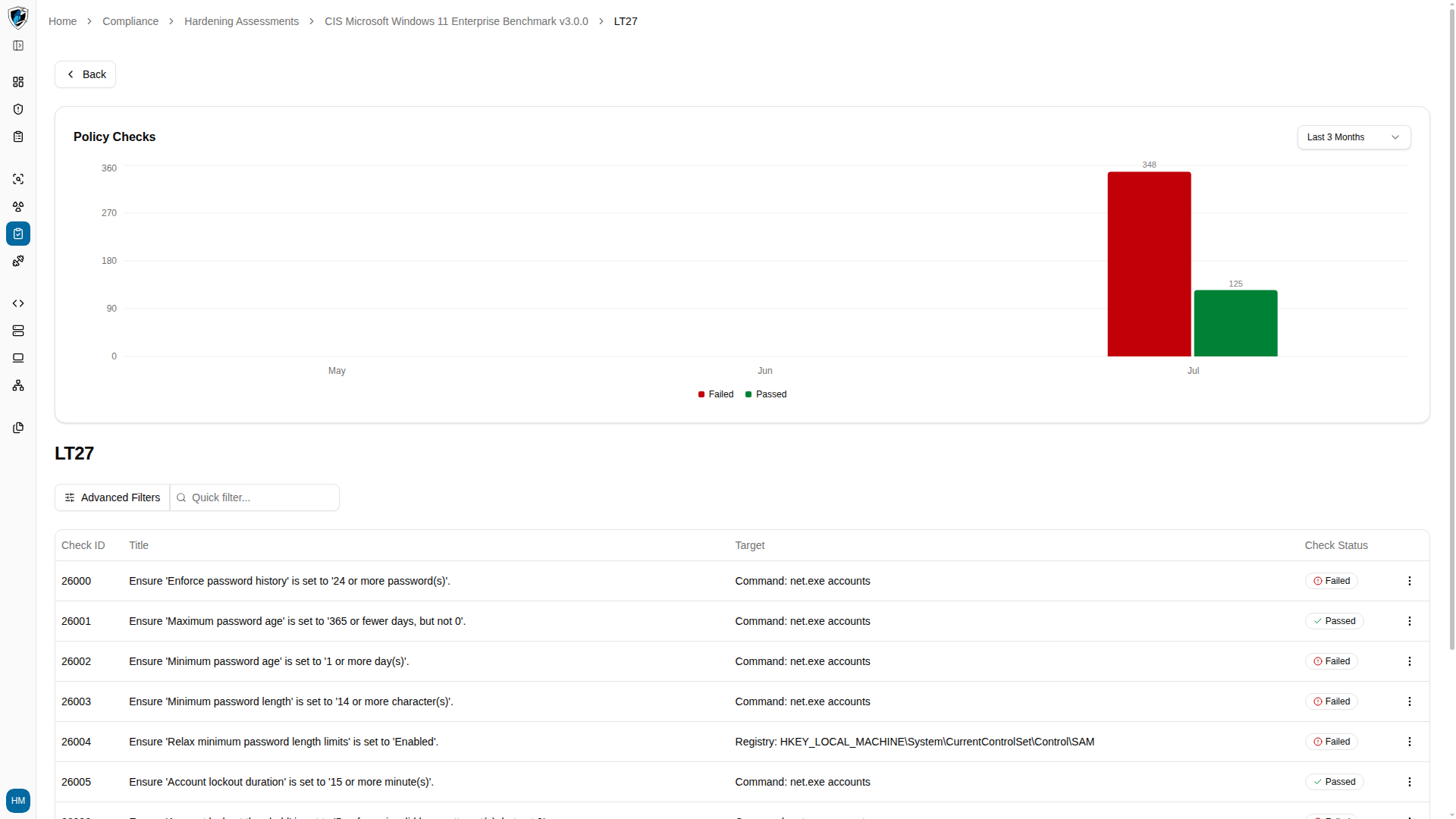
## Level 3: Endpoint checks
Drilling into one endpoint gives you itemized results:
| Column | Description |
| :--------------------- | :------------------------------------------------------------ |
| **Title / Rule** | Summary of the hardening rule. |
| **Check ID** | Benchmark identifier, such as `2248`. |
| **Status** | `Passed` in green, `Failed` in red, `Not Applicable` in gray. |
| **Category / Section** | Functional area, such as Account Policies or Password Policy. |
## Drill down
1. On the **Hardening Assessments** page, click the action menu (`...`) next to a policy and select **View Details**.
 2. Review the endpoints evaluated under that policy, their passed, failed, and not-applicable counts, connection status, and individual pass scores.
 3. Click the action menu (`...`) next to an endpoint and select **View Details** for its itemized check results.